Built for people with real libraries
Not a streaming subscription. A player that respects the music you already own, the shows you already follow, and the server you already run.
Local media, properly organised
Everything on your device, sorted the way a music app should sort it — not dumped into one list.
- Songs — every track, sortable by title, date or duration
- Albums — real album art, filters and multi-select
- Videos — local video with a full-screen player
- Files — a genuine file browser with breadcrumbs and storage volumes
Playlists that are yours
Build them in the app or bring the ones you already have. Nothing is locked in.
- Create, rename, reorder and delete
- Import M3U playlists straight from your storage
- Add anything to a playlist from any screen
- Play all or shuffle from the top of any list
A serious podcast player
The full podcast experience, not an afterthought bolted onto a music app.
- Subscriptions, queue, inbox and downloads
- Chapters and transcripts with follow-along
- Automatic downloads and smart queue rules
- OPML import/export and gpodder.net sync
Radio & TV, worldwide
Thousands of live stations and channels, browsable by country and category.
- Live radio with station artwork
- TV channels alongside your own video
- Discover by country — tuned to where you are
- Favourite anything and find it again instantly
Playback that behaves
The controls you actually reach for, where you expect them.
- Variable speed, skip silence, sleep timer
- Lyrics for local files and server tracks
- Full queue control with swipe actions
- Lock-screen and notification controls
Make it yours
Very few apps let you move this much furniture. This one does.
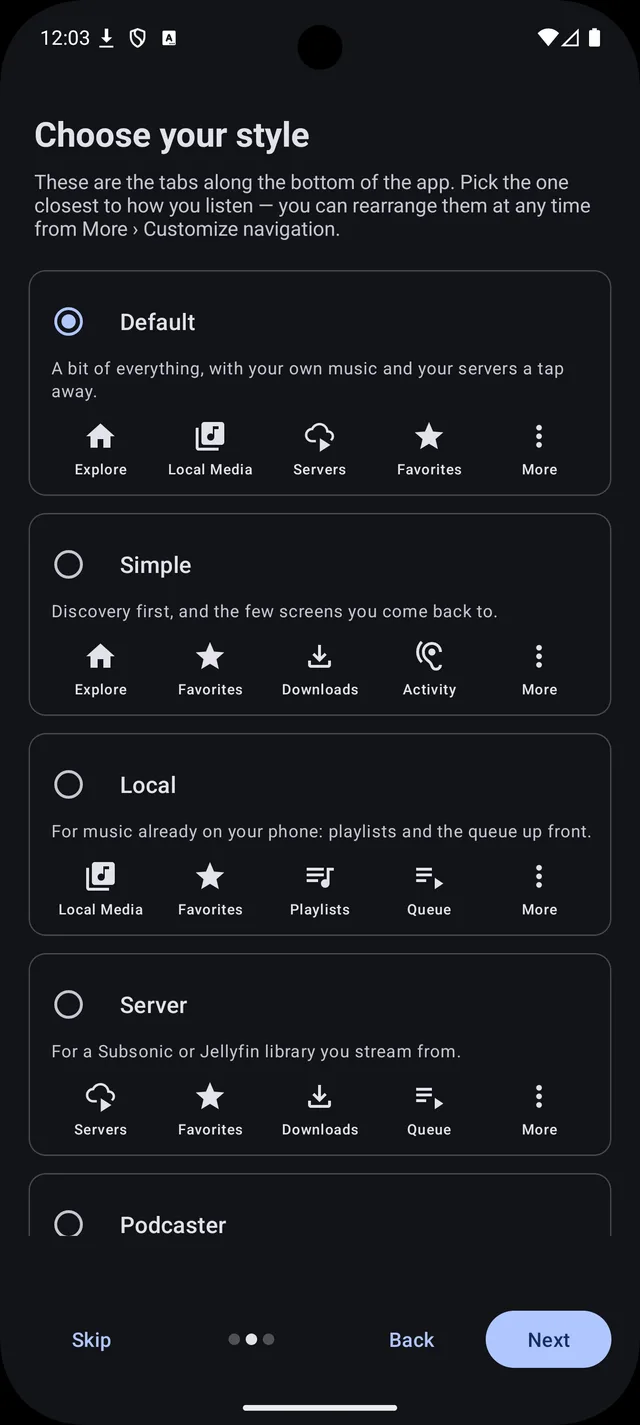
- Reorder or hide every home-screen section
- Bottom bar, side drawer, or both
- Grid or list, and how many columns — per screen
- Light, dark and true-black themes
Eleven screens, no mock-ups
Every shot below is the app as it ships — a real library, real servers, real stations. Swipe, drag or use the arrows, and click any screen to see it full size.
Plug in the library you already run
Point Mbogi Music at your own media server and the whole thing appears — albums, artists, playlists, films and shows — with artwork, search and offline copies. Sign in to several at once and keep them all playing.
It remembers what it showed you
Every screen keeps the last answer your server gave. Open an album you have browsed before and it is on screen immediately, while a fresh copy loads quietly behind it. Lose the network and you still get your library, not an error page.
The screen fills from cache, then corrects itself the moment the server answers.
Casting that isn't fussy about brands
Chromecast is supported, and so is every DLNA/UPnP renderer on your network — the smart TV, the AV receiver, the old networked speaker that nothing else will talk to. Mbogi Music even runs its own media relay, so files on your phone and tracks on your server both reach the device.
One search, everything at once
Search reaches your device, your subscriptions and every server you are signed in to — in the same list, at the same time. Narrow it to one server with a tap when you know where to look.
Search everywhere
Local files, podcasts, radio, and every signed-in server queried together — with a chip to scope it down to one.
Browse by country
Podcast, radio and TV discovery that starts where you are instead of defaulting to somewhere else.
Favourites that sync back
Star a track and it is starred on your server too — not stranded in the app.
Listening statistics
See what you actually played, by year, without any of it leaving your phone.
Android Auto & Wear OS
Browse and control from the dashboard or your wrist, with the same library underneath.
Home-screen widgets
Playback controls where you need them, without opening the app at all.
Download Mbogi Music
Signed builds, published straight from source. Pick the one that matches your phone — nearly every device made in the last decade wants arm64-v8a.